ParamEdit — Parameter Table Editor
ParamEdit is a JavaFX tool for constructing and suggesting test parameter tables using coverage heuristics (pairwise, MC/DC, decision-tree guessing). It helps you design combinatorial test data without manually enumerating every combination.
Building and Running
Prerequisites: Java 21, Maven 3.6+
Application Overview
ParamEdit opens with a menu bar (File, Suggestion) and a split view: parameter tables on top, suggestion results on the bottom.
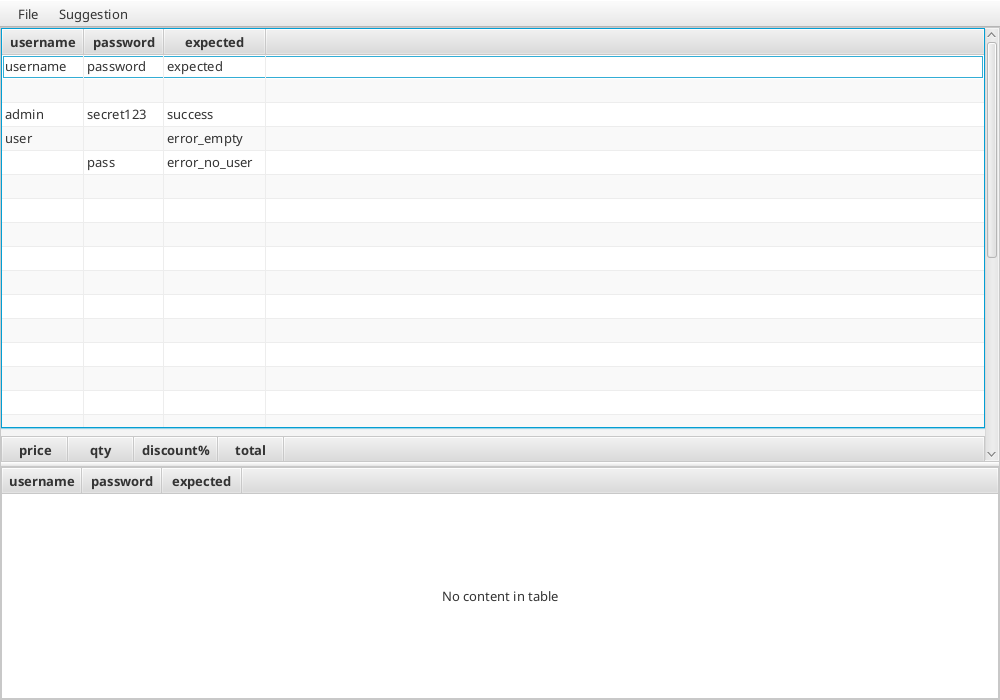
The interface shows:
- Menu bar — File (Save/Load/Save as HTML) and Suggestion (Guess/MCDC/PairWise)
- Table area (top) — one or more editable parameter tables with named columns
- Suggestion area (bottom) — suggested parameter combinations from the selected strategy
Creating Parameter Tables
Each table has named columns representing test parameters and rows representing test cases. In the example above:
| username | password | expected |
|---|---|---|
| admin | secret123 | success |
| user | error_empty | |
| pass | error_no_user |
You can:
- Right-click on the table to add/delete rows and columns
- Double-click a cell to edit its value
- Add multiple tables for different test aspects
Suggestion Strategies
ParamEdit can automatically suggest additional test parameter combinations to improve coverage. Select a strategy from the Suggestion menu:
PairWise
Ensures every pair of parameter values appears in at least one test case. This is the most commonly used combinatorial strategy.
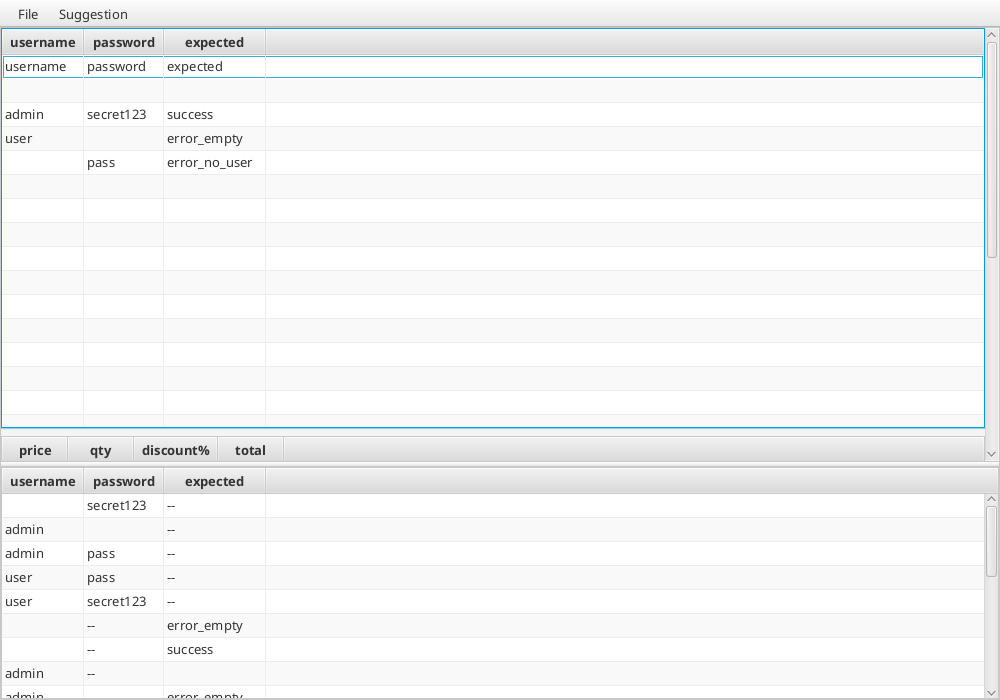
The suggestion panel shows generated combinations — notice how it creates rows covering pairs like (admin, pass), (user, secret123), etc. that weren't in the original table.
Guess
Uses decision-tree analysis to identify missing combinations based on the existing data patterns.
MC/DC
Modified Condition/Decision Coverage — generates combinations that ensure each parameter value independently affects the outcome.
Undo/Redo
All table operations (add row, delete column, set value, etc.) support full undo/redo via the command pattern. Use Ctrl+Z / Ctrl+Y or the Edit menu.
File Operations
- Save — serialises the story test (all tables) to a file
- Load — loads a previously saved story test
- Save as HTML — exports the tables as an HTML document
Next Steps
- See the Getting Started guide for the programmatic MBT API.
- See the JavaFX GUI guide for interactive model exploration.
- See the MBT Tutorial for a comprehensive introduction.